
Nissan Rogue Owners Manual: Forward Collision Warning (FCW) system (if so equipped)
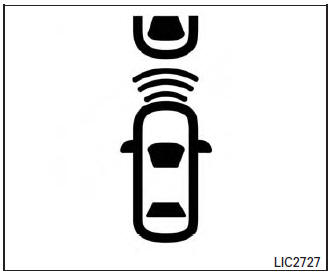
The Forward Collision Warning (FCW) system will warn the driver by flashing the FCW indicator light and providing a warning chime when your vehicle is getting close to the vehicle ahead in the traveling lane.
The FCW system will function when your vehicle is driven at speeds of approximately 10 MPH (15 km/h) and above.
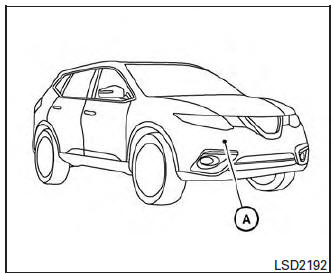
Forward Collision Warning (FCW) system
The FCW system uses the distance sensor A located behind the front bumper to measure the distance to the vehicle ahead. When the system judges that your vehicle is getting close to the vehicle ahead in the travel lane, FCW Indicator (white) on the instrument panel flashes and a warning chime sounds.
The FCW system can be turned on/off by using the settings menu on the information display. For additional information, refer to “How to enable/disable the FCW system� using the settings menu in this section.
FCW Indicator (orange)
 Cruise control operations
The cruise control allows driving at a speed between
25 - 89 MPH (40 - 144 km/h) without
keeping your foot on the accelerator pedal.
To turn on the cruise control, push the
ON·OFF switch ON. Th ...
 Approach warning
Approach warning
NOTE:
The warning chime may sound and the FCW
indicator may blink when the distance sensor
detects vehicles in other lanes A or
objects on the side of the road A . This may
...
Other materials:
Precaution
Precaution for Supplemental Restraint System (SRS) "AIR BAG" and "SEAT
BELT
PRE-TENSIONER"
The Supplemental Restraint System such as “AIR BAG� and “SEAT BELT PRE-TENSIONER�,
used along
with a front seat belt, helps to reduce the risk or severity of injury to the
...
P0453 EVAP control system pressure sensor
DTC Description
DTC DETECTION LOGIC
DTC No.
CONSULT screen terms
(Trouble diagnosis content)
DTC detecting condition
P0453
EVAP SYS PRES SEN
(Evaporative emission system pressure
sensor/switch high)
An excessively high voltage from the sensor is sent to ECM.
...
Periodic maintenance
HEADLAMP AIMING ADJUSTMENT
Inspection
PREPARATION BEFORE ADJUSTING
Before performing aiming adjustment, check the following:
Make sure all tires are inflated to correct pressure.
Place vehicle and screen on level surface.
Make sure there is no load in vehicle other than ...
