
Nissan Rogue Owners Manual: FCW system operation
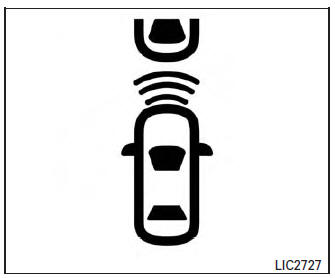
Forward Collision Warning light
The FCW system is active at speeds of approximately 10 MPH (15 km/h) and above, when the system turns on.
When FCW is turned on, FCW Indicator (white) will turn on. FCW system is activated using the settings menu on the information display. For additional information, refer to “How to enable/disable the FCW system� using the settings menu in this section.
How to enable/disable the FCW system
Perform the following steps to enable or disable the FCW system.
- Press the button until “Settings� displays
in the vehicle information display. Use
the button to select “Driver Assistance�.
Then press the ENTER button.
- Select “Driver Aids�, and press the ENTER button.
- To set FCW system to on or off, use the ↑↓ buttons to navigate in the menu and use the ENTER button to select or change item:
- To turn on the warning use the ENTER button to check box for “Forward.�
- To turn off the warning use the ENTER button to clear box for “Forward.�
- The FCW indicator will illuminate on the Vehicle Information Display when the system is on.
 Precautions on FCW system
WARNING
The FCW system is intended to warn
you before a collision occurs; it cannot
prevent a collision. It is the driver’s responsibility
to stay alert, drive safely
...
 Sensor maintenance
Sensor maintenance
The distance sensor for the FCW system A is
located behind the front bumper.
To keep the FCW system operating properly, be
sure to observe the following:
Always ...
Other materials:
P0778 pressure control solenoid B
DTC Description
DTC DETECTION LOGIC
DTC
CONSULT screen terms
(Trouble diagnosis content)
DTC detection condition
P0778
PC SOLENOID B
(Pressure Control Solenoid “B� Electrical)
When all of the following conditions are satisfied and this state is
maintained
...
Parking brake rear cable
Removal and Installation
REMOVAL
Remove the center console assembly. Refer to IP-18, "Removal and
Installation".
Remove shift selector. Refer to TM-194, "Removal and
Installation".
Remove the bolts from the parking brake front cable mount. Refer
...
CVT fluid cooler system
Cleaning
Whenever an automatic transaxle is repaired, overhauled, or replaced, the CVT
fluid cooler mounted in the
radiator must be inspected and cleaned.
Metal debris and friction material, if present, can be trapped or be deposited
in the CVT fluid cooler. This
debris can contaminate the ...
