
Nissan Rogue Service Manual: ECU diagnosis information
AV CONTROL UNIT
Reference Value
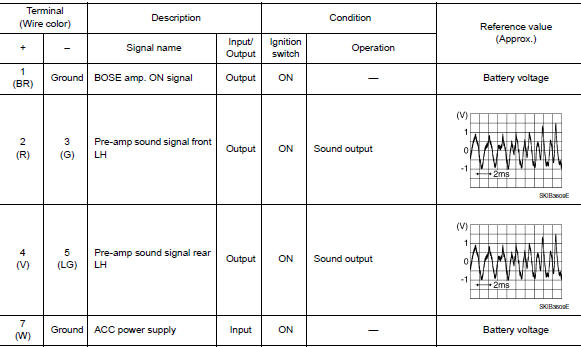
VALUES ON THE DIAGNOSIS TOOL

TERMINAL LAYOUT
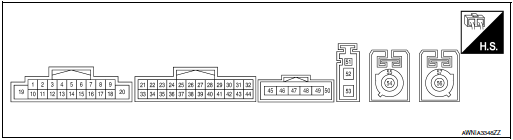
PHYSICAL VALUES


DTC Index

BOSE SPEAKER AMP
Reference Value
TERMINAL LAYOUT
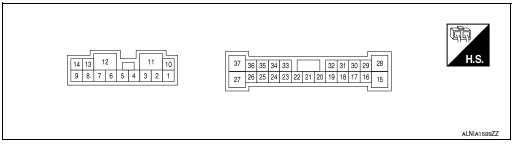
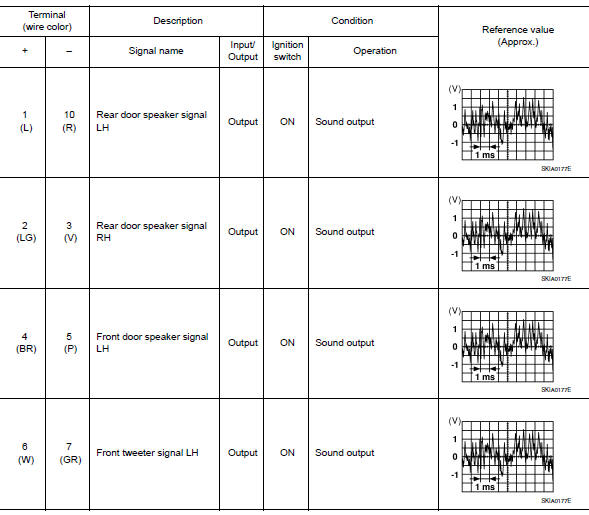
PHYSICAL VALUES


AROUND VIEW MONITOR CONTROL UNIT
WITHOUT DRIVER ASSISTANCE SYSTEM
WITHOUT DRIVER ASSISTANCE SYSTEM : Reference Value
VALUES ON THE DIAGNOSIS TOOL

TERMINAL LAYOUT
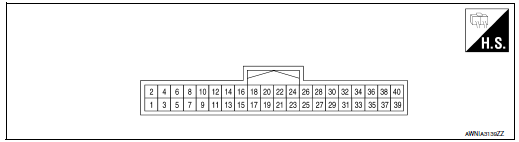
PHYSICAL VALUES

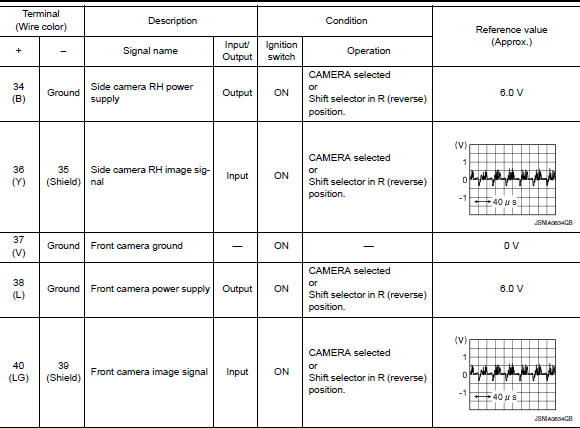
WITHOUT DRIVER ASSISTANCE SYSTEM : DTC Index

WITH DRIVER ASSISTANCE SYSTEM
WITH DRIVER ASSISTANCE SYSTEM : Reference Value
VALUES ON THE DIAGNOSIS TOOL

TERMINAL LAYOUT

PHYSICAL VALUES

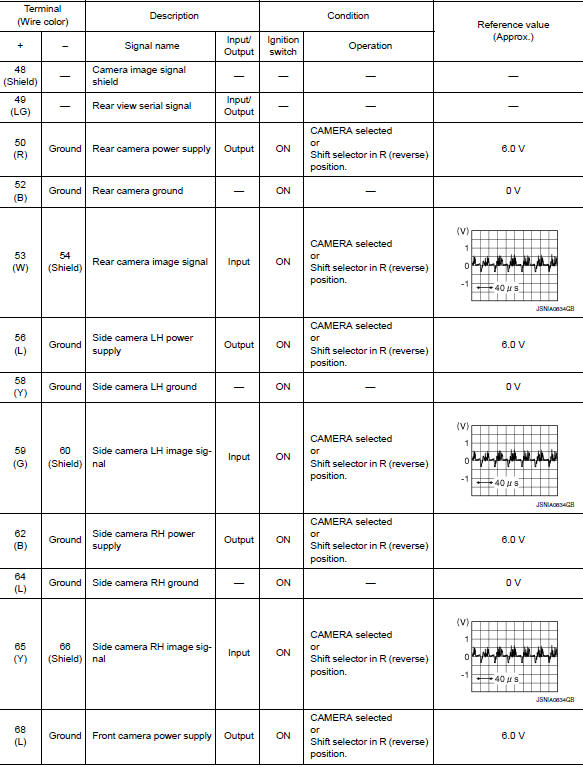

WITH DRIVER ASSISTANCE SYSTEM : DTC Index
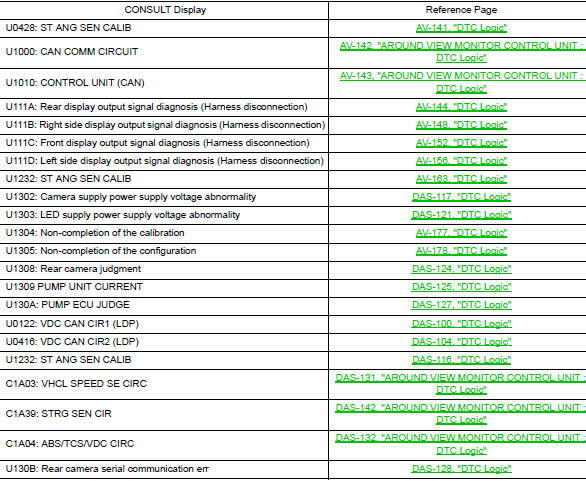
 System description
COMPONENT PARTS
Component Parts Location
View under rear of front passenger
seat
View with spare tire cover removed
Center of back door
View with glove box removed
...
 Wiring diagram
NAVIGATION WITH BOSE
Wiring Diagram
...
Other materials:
Parking brake shoe
Inspection and Adjustment
Adjust parking brake pedal stroke. Refer to PB-4, "Inspection and
Adjustment".
Perform parking brake break-in (drag on) operation by driving
vehicle under the following conditions:
Drive forward
Vehicle speed: Approx. 40 km/h (25 MPH) set ...
Cleaning exterior
In order to maintain the appearance of your vehicle,
it is important to take proper care of it.
To protect the paint surfaces, please wash your
vehicle as soon as you can:
after a rainfall to prevent possible damage
from acid rain
after driving on coastal roads
when ...
B2267 engine speed
Description
The engine speed signal is transmitted from ECM to the combination meter with
CAN communication.
DTC Logic
DTC DETECTION LOGIC
DTC
CONSULT
Detection Condition
Possible Cause
B2267
TACHO METER
[B2267]
ECM continuously transmits abnor ...
