
Nissan Rogue Service Manual: ECU diagnosis information
BCM
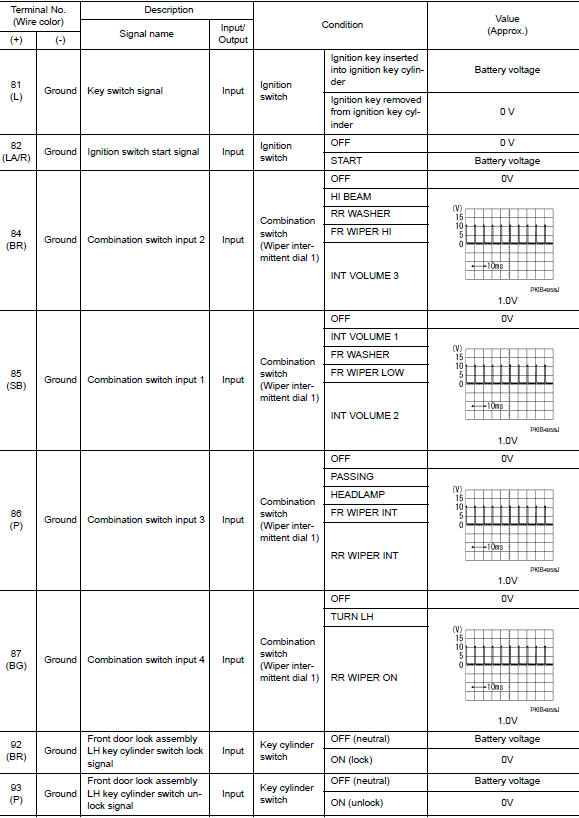
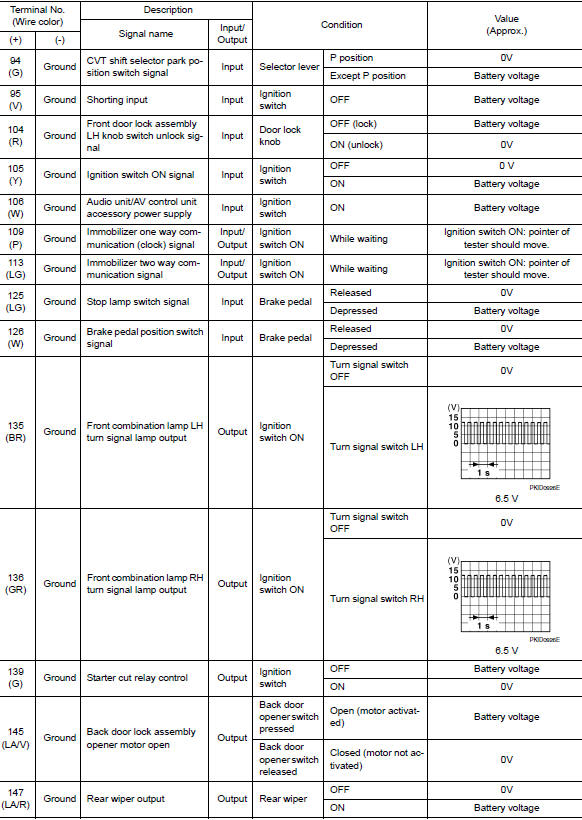
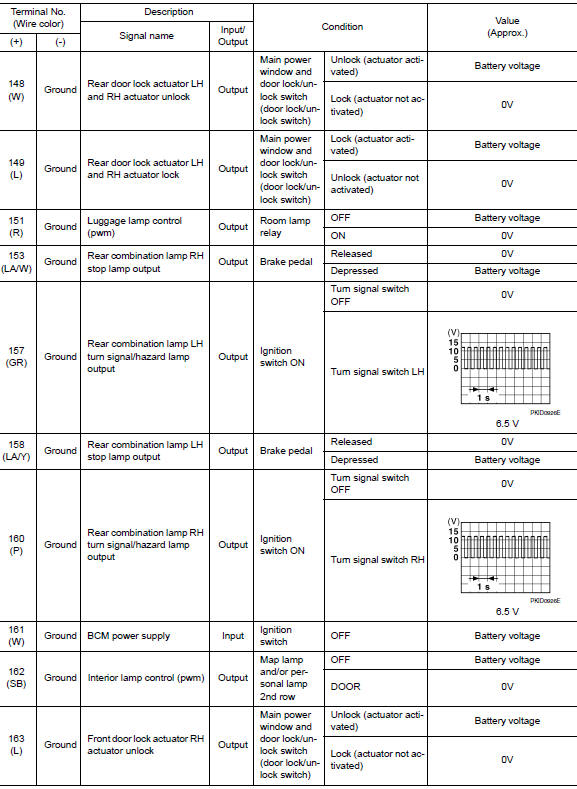
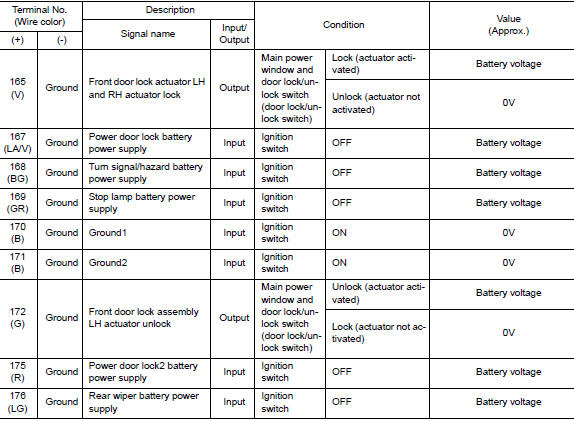
Reference Value
NOTE: The Signal Tech II Tool (J-50190) can be used to perform the following functions. Refer to the Signal Tech II User Guide for additional information.
- Activate and display TPMS sensor IDs
- Display tire pressure reported by the TPMS sensor
- Read TPMS DTCs
- Register TPMS sensor IDs
VALUES ON THE DIAGNOSIS TOOL
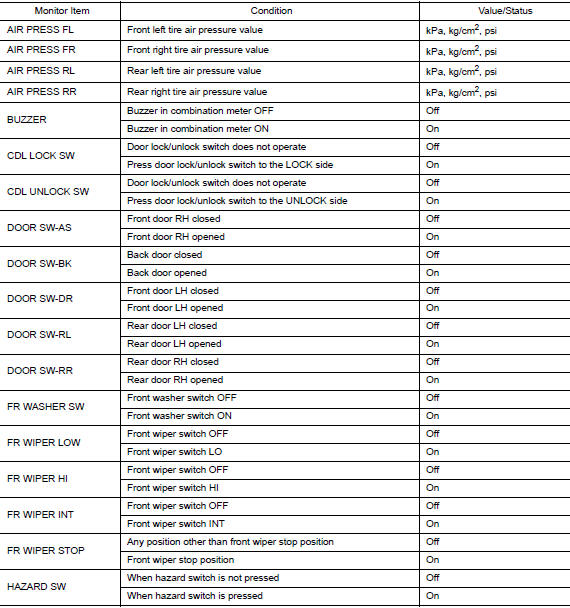
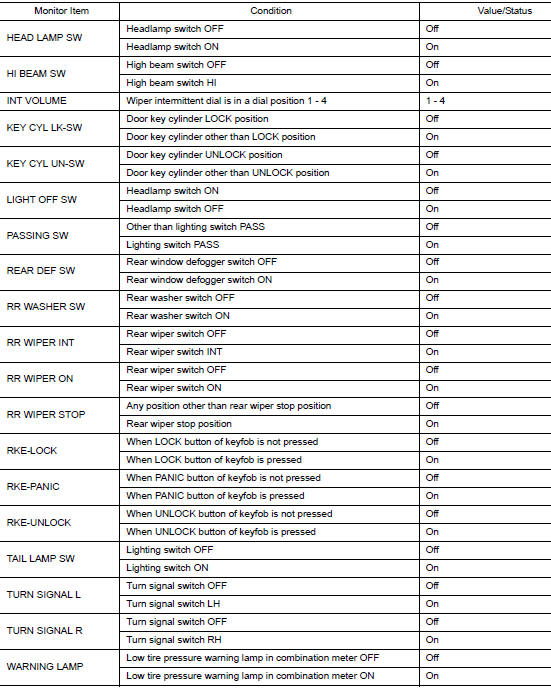
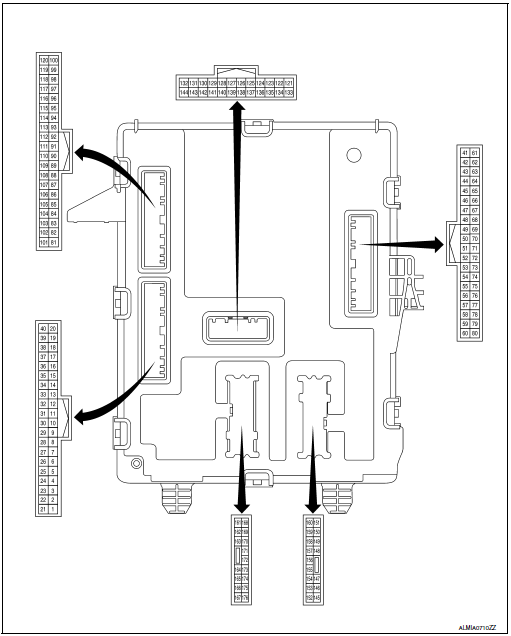
TERMINAL LAYOUT
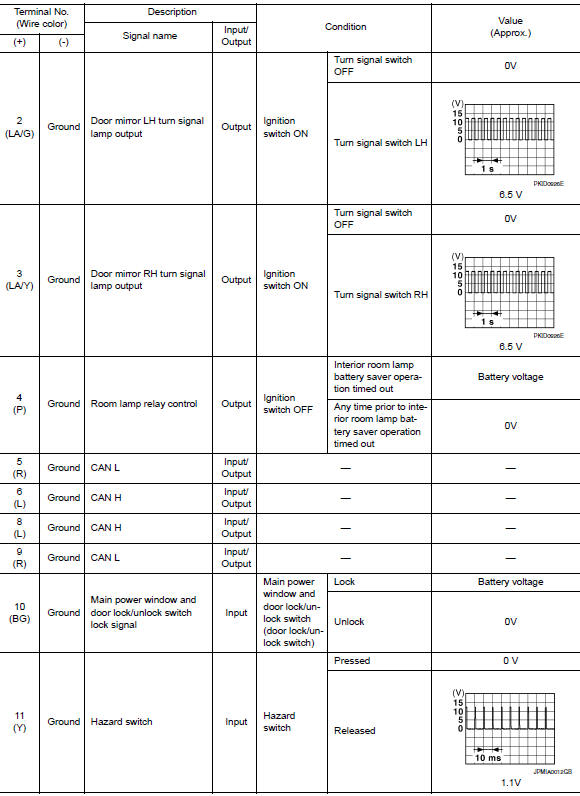
PHYSICAL VALUES
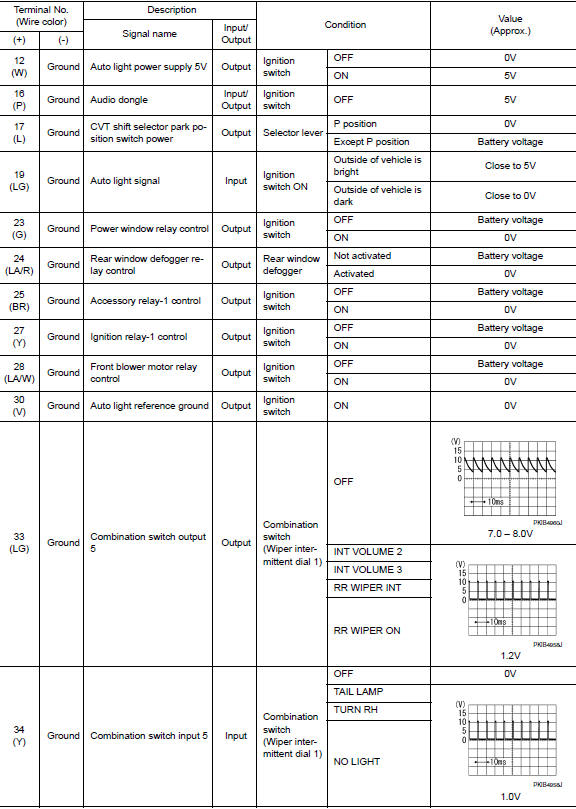
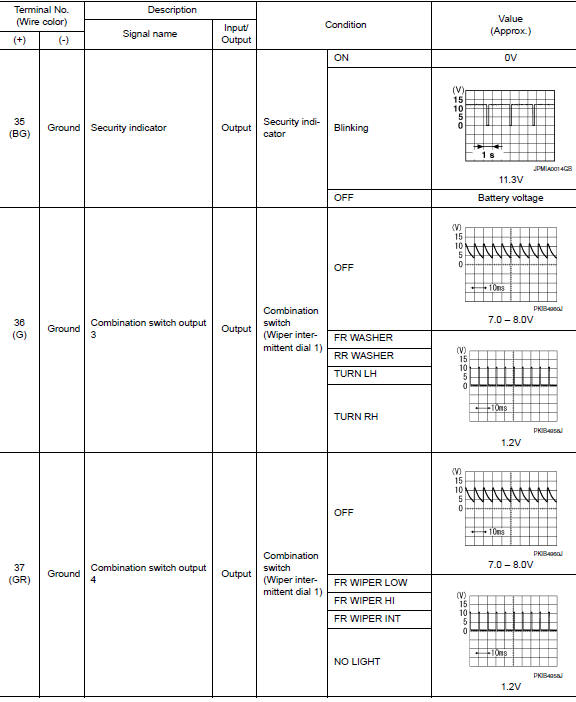
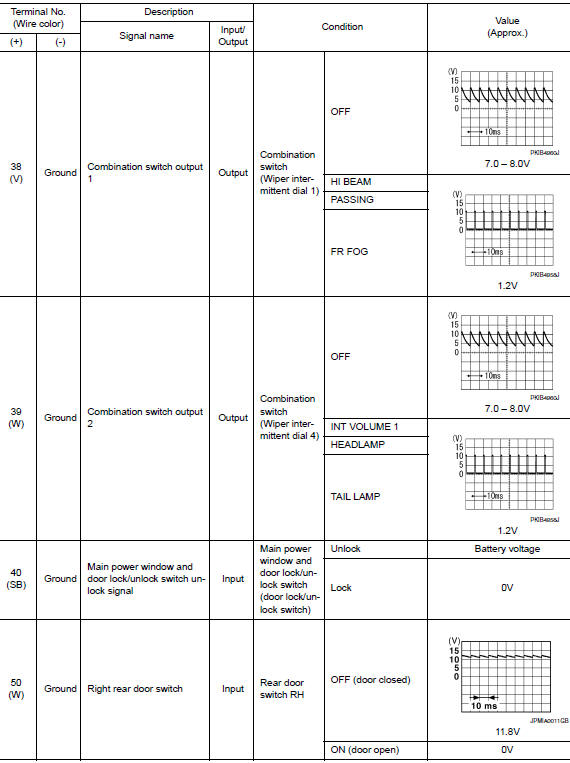
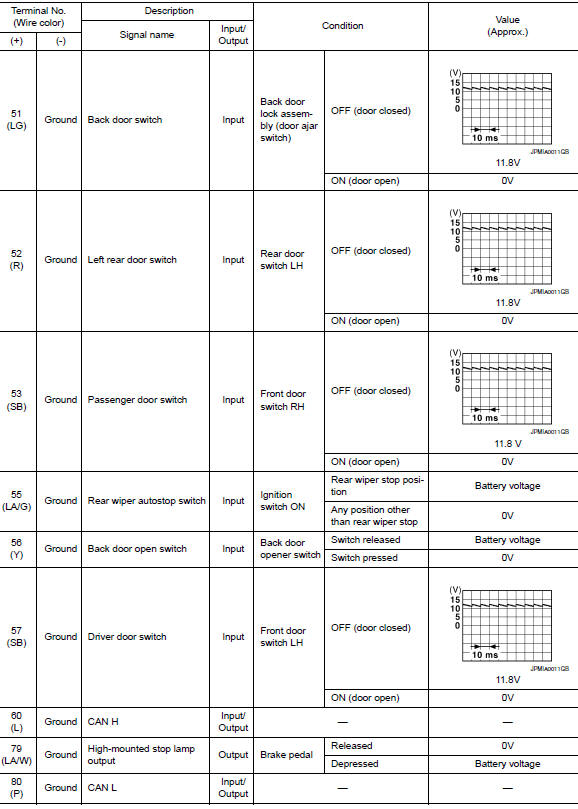
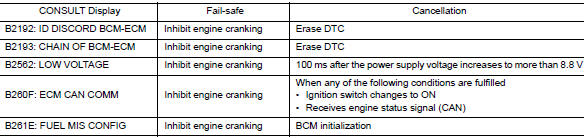
Fail Safe
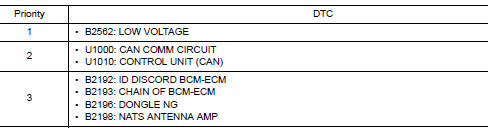
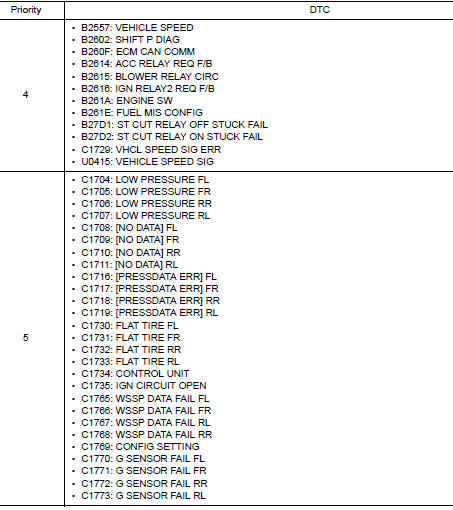
DTC Inspection Priority Chart
If some DTCs are displayed at the same time, perform inspections one by one based on the following priority chart.
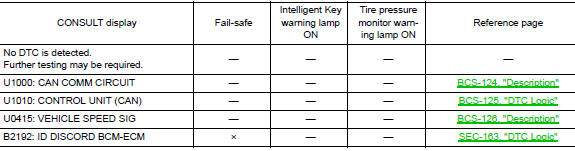
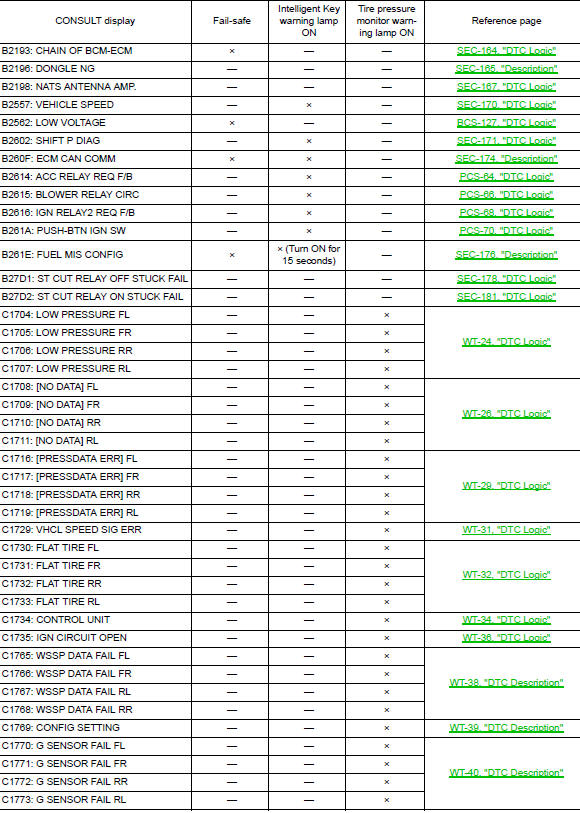
DTC Index
NOTE: Details of time display
- CRNT: Displays when there is a malfunction now or after returning to the normal condition until turning ignition switch OFF → ON again.
- 1 - 39: Displayed if any previous malfunction is present when current condition is normal. It increases like 1 → 2 → 3...38 → 39 after returning to the normal condition whenever ignition switch OFF → ON. The counter remains at 39 even if the number of cycles exceeds it. It is counted from 1 again when turning ignition switch OFF → ON after returning to the normal condition if the malfunction is detected again.
 System description
COMPONENT PARTS
BODY CONTROL SYSTEM
BODY CONTROL SYSTEM : Component Parts Location
BCM
Behind instrument panel (LH)
POWER CONSUMPTION CONTROL SYSTEM
POWER CONSUMPTION CONTROL SYSTEM : ...
 Wiring diagram
BCM
Wiring Diagram
...
Other materials:
Removal and installation
EXHAUST SYSTEM
Exploded View
Exhaust diffuser
Muffler assembly
Mounting rubber
Mounting rubber
Mounting rubber
Ring gasket
Front exhaust tube
Mounting rubber
Exhaust gasket
Oxygen sensor 2
Center exhaust tube
Catalyst shroud
...
Precaution
Precaution for Supplemental Restraint System (SRS) "AIR BAG" and "SEAT
BELT
PRE-TENSIONER"
The Supplemental Restraint System such as “AIR BAG� and “SEAT BELT PRE-TENSIONER�,
used along
with a front seat belt, helps to reduce the risk or severity of injury to the
...
System
SPORT MODE CONTROL
SPORT MODE CONTROL : System Description
SYSTEM DIAGRAM
SYSTEM DISCRIPTION
TCM receives SPORT mode switch signal (ON/OFF) from combination
meter via CAN communication. TCM
transmit SPORT mode signal to ECM via CAN communication according to the
signal.
&n ...
