
Nissan Rogue Owners Manual: Connecting Procedure
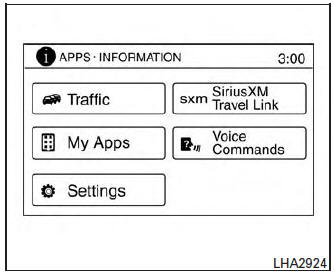
Connecting Procedure
NOTE: The connecting procedure must be performed when the vehicle is stationary. If the vehicle starts moving during the procedure, the procedure will be cancelled.
- Press the [
 ] button
on the control
panel.
] button
on the control
panel. - Touch the “Settings� key.
- Touch the “Phone & Bluetooth� key.
- Touch the “Connect New Device� key.
- Initiate the connecting process from the handset. The system will display the message: “Is PIN XXXXXX displayed on your Bluetooth device?�. If the PIN is displayed on your Bluetooth® device, select “Yes� to complete the pairing process.
For additional information, refer to the Bluetooth® device’s Owner’s Manual.
 Voice commands
You can use voice commands to operate various
Bluetooth® Hands-Free Phone System features
using the NISSAN Voice Recognition system. For
additional information, refer to “NISSAN Voice
Recogniti ...
 Vehicle phonebook
To access the vehicle phonebook:
Press the button on
the control panel.
Touch the “Phonebook� key.
Choose the desired entry from the displayed
list.
The num ...
Other materials:
System description
COMPONENT PARTS
Component Parts Location
No.
Component
Description
1
Push-button ignition
switch1
Push-button ignition switch (push switch) is pressed (ON), and
transmits status signal to BCM
and IPDM E/R.
Ignition switch2
Ignition ...
P0181 FTT sensor
DTC Description
DTC DETECTION LOGIC
DTC No.
CONSULT screen terms
(Trouble diagnosis content)
DTC detecting condition
P0181
FTT SENSOR
(Fuel temperature sensor ″A″ circuit range/
performance)
A
Rationally incorrect voltage from the sensor is sent ...
P0102, P0103 MAF sensor
DTC Description
DTC DETECTION LOGIC
DTC No.
CONSULT screen terms
(Trouble diagnosis content)
DTC detecting condition
P0102
MAF SEN/CIRCUIT-B1
(Mass or volume air flow ″A″ circuit low)
An excessively low voltage from the mass air flow sensor is sent to ...
