
Nissan Rogue Owners Manual: Air flow charts
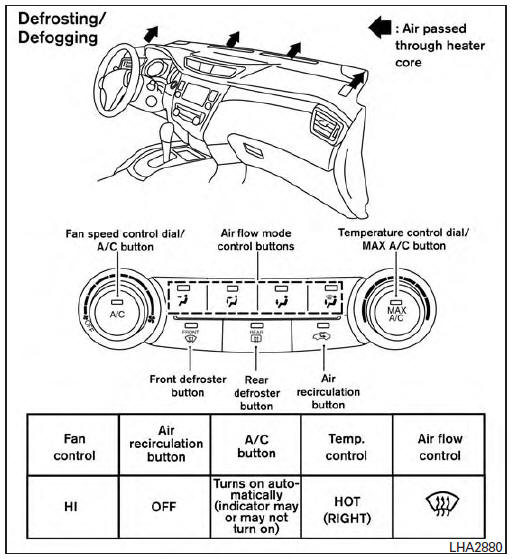
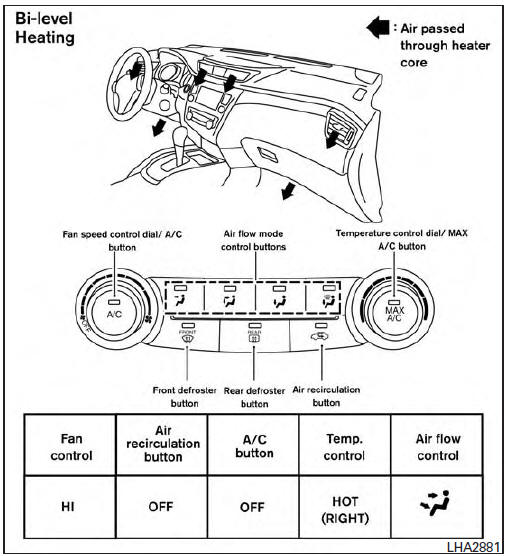
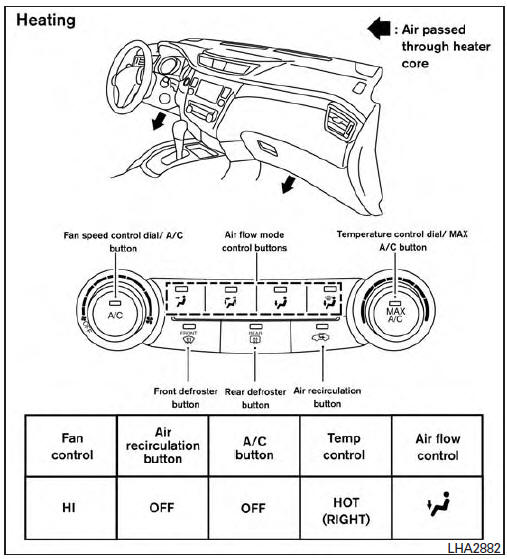
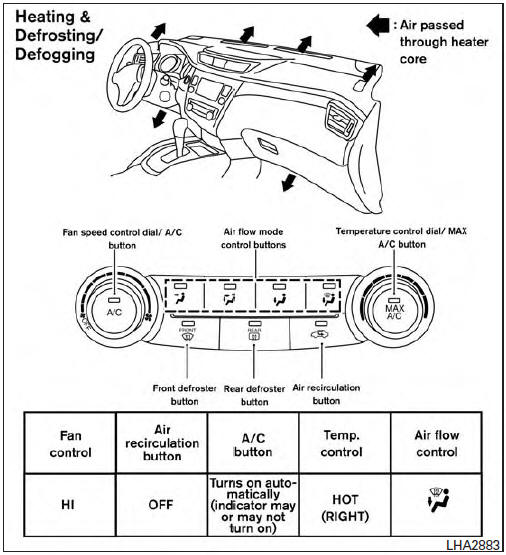
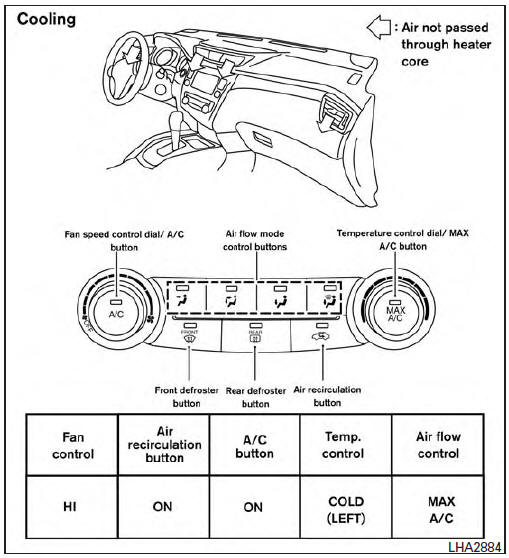
The following charts show the button and dial positions for MAXIMUM AND QUICK heating, cooling or defrosting. The air recirculation indicator should always be in the OFF position for heating and defrosting.
 Air conditioner operation
Start the engine, turn the fan control dial to the
desired position, and press the
button to
activate the air conditioner. When the air conditioner
is on, cooling and dehumidifying functions
ar ...
 Heater and Air Conditioner (automatic)
(if so equipped)
Heater and Air Conditioner (automatic)
(if so equipped)
Heater and Air Conditioner
(front defroster) button
Temperature control dial (driver’s side) /
ON-OFF button
MODE (manual air flow control) button
Display screen
...
Other materials:
Precaution
Precaution for Supplemental Restraint System (SRS) "AIR BAG" and "SEAT
BELT
PRE-TENSIONER"
The Supplemental Restraint System such as “AIR BAG� and “SEAT BELT PRE-TENSIONER�,
used along
with a front seat belt, helps to reduce the risk or severity of injury to the
...
Basic inspection
INSPECTION AND ADJUSTMENT
ADDITIONAL SERVICE WHEN REPLACING CONTROL UNIT (BCM)
ADDITIONAL SERVICE WHEN REPLACING CONTROL UNIT (BCM) : Description
BEFORE REPLACEMENT
When replacing BCM, save or print current vehicle specification with CONSULT
configuration before replacement.
NOTE:
If “Be ...
Basic inspection
DIAGNOSIS AND REPAIR WORKFLOW
Work Flow
OVERALL SEQUENCE
DETAILED FLOW
1.INTERVIEW CUSTOMER
Interview the customer to obtain as much information as possible about the
conditions and environment under
which the malfunction occurred.
>> GO TO 2.
2.SYMPTOM CHECK
Verify symptoms.
...
