
Nissan Rogue Owners Manual: Vehicle Dynamic Control (VDC) off switch
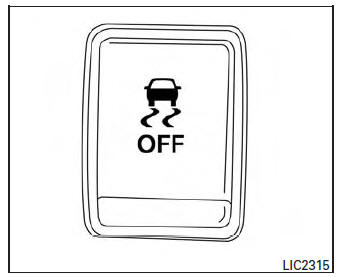
Vehicle Dynamic Control (VDC) off switch
The vehicle should be driven with the VDC system on for most driving conditions.
If the vehicle is stuck in mud or snow, the VDC system reduces the engine output to reduce wheel spin. The engine speed will be reduced even if the accelerator is depressed to the floor. If maximum engine power is needed to free a stuck vehicle, turn the VDC system off.
To turn off the VDC system, push the VDC OFF
switch. The indicator will
come on.
indicator will
come on.
Push the VDC OFF switch again or restart the engine to turn on the system. For additional information, refer to “Vehicle Dynamic Control (VDC) system� in the “Starting and driving� section of this manual.
 Heated seats (if so equipped)
The front seats are warmed by built-in heaters.
Start the engine.
Push the LO or HI position of the switch, as
desired. The indicator light in the switch will
illuminate.
...
 All-wheel drive (AWD) lock switch (if so equipped)
All-wheel drive (AWD) lock switch (if so equipped)
The all-wheel drive (AWD) lock switch is locaton the instrument panel. The
AWD LOCK indicator
light will illuminate when the switch is turned ...
Other materials:
Exhaust manifold and three way
catalyst
Exploded View
Cylinder head
Exhaust manifold and three way
catalyst gasket
Exhaust manifold cover (upper)
Exhaust manifold and three way catalyst
Exhaust manifold cover (lower
front)
Exhaust manifold cover (lower rear)
Air fuel ratio (A/F) senso ...
P0078 EVT control solenoid valve
DTC Description
DTC DETECTION LOGIC
DTC No.
CONSULT screen terms
(Trouble diagnosis content)
DTC detecting condit
P0078
EX V/T ACT/CIRC-B1
(Exhaust valve control solenoid circuit bank
1)
An improper voltage is sent to the ECM through exhaust valve timing
co ...
Shift position indicator circuit
Component Parts Function Inspection
1.CHECK SHIFT POSITION INDICATOR
Start the engine.
Shift selector lever.
Check that the selector lever position and the shift position
indicator on the combination meter are identical.
Is the inspection result normal?
YES >> ...
