
Nissan Rogue Owners Manual: All-wheel drive (AWD) lock switch (if so equipped)
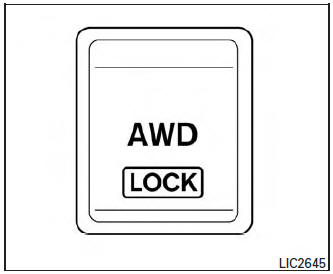
All-wheel drive (AWD) lock switch (if so equipped)
The all-wheel drive (AWD) lock switch is locaton the instrument panel. The AWD LOCK indicator light will illuminate when the switch is turned on. For additional information, refer to “Warning/Indicator lights and audible reminders� in this section.
Each time you push the switch, the AWD mode will switch: AUTO →LOCK → AUTO.
 Vehicle Dynamic Control (VDC) off switch
Vehicle Dynamic Control (VDC) off switch
The vehicle should be driven with the VDC system
on for most driving conditions.
If the vehicle is stuck in mud or snow, the VDC
system reduces the eng ...
 SPORT mode switch
SPORT mode switch
Adjusts the engine and transmission points to
enhance performance. Press the SPORT button
on the instrument panel to activate. “SPORT�
appears in the speedometer for two ...
Other materials:
Precaution
Precaution for supplemental restraint system (srs) "air bag" and "seat
belt
pre-tensioner"
The Supplemental Restraint System such as “AIR BAG� and “SEAT BELT PRE-TENSIONER�,
used along
with a front seat belt, helps to reduce the risk or severity of injury to the
...
U1000 CAN COMM CIRCUIT
Description
CAN communication allows a high rate of information transmission through the
two communication lines
(CAN-H line and CAN-L line) connecting various control units in the system. Each
control unit transmits/
receives data but selectively reads required data only.
DTC Logic
DTC DET ...
ECU diagnosis information
AROUND VIEW MONITOR CONTROL UNIT
Reference Value
VALUES ON THE DIAGNOSIS TOOL
TERMINAL LAYOUT
PHYSICAL VALUES
DTC Index
DISTANCE SENSOR
Reference Value
VALUES ON THE DIAGNOSIS TOOL
NOTE:
The following table includes information (items) inapplicable to this vehicle ...
