
Nissan Rogue Owners Manual: Sun visors
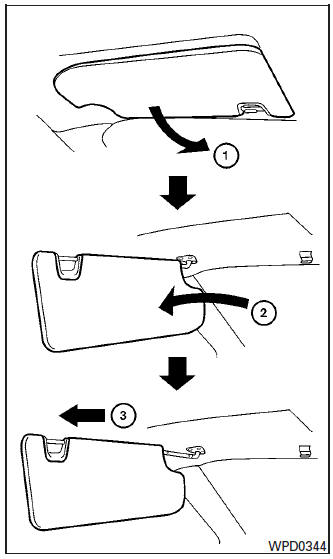
Sun visors
- To block glare from the front, swing down the main sun visor.
- To block glare from the side, remove the main sun visor from the center mount and swing the visor to the side.
- To extend the sun visor, slide in or out as needed.
CAUTION
|
Vanity mirrors
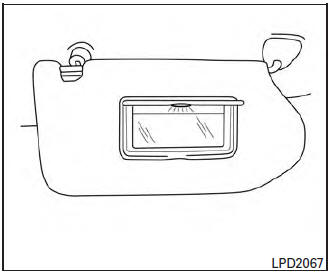
Vanity mirrors
To access the vanity mirror, pull the sun visor down and flip open the mirror cover. The vanity mirror will illuminate when the mirror cover is open.
Card holder (driver’s side only)
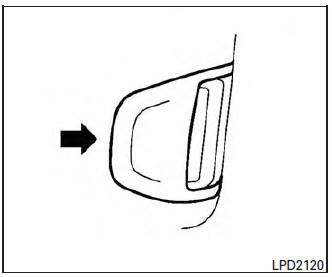
Card holder (driver’s side only)
To access the card holder, pull the sun visor down and slide card in the card holder. Do not view information while operating the vehicle.
 Tilt/telescopic steering
WARNING
Do not adjust the steering wheel while
driving. You could lose control of your
vehicle and cause an accident.
Do not adjust the steering wheel any
closer ...
 Mirrors
Rearview mirror (if so equipped)
Rearview mirror (if so equipped)
Use the night position 1 to reduce glare from
the headlights of vehicles behind you at night.
Use the day position 2 when dr ...
Other materials:
iPod®* player operation with Navigation System (if so equipped)
iPod®* player operation with Navigation System
Connecting iPod®
WARNINGDo not connect, disconnect, or operate the
USB device while driving. Doing so can be
a distraction. If distracted you could lose
control of your vehicle and cause an accident
or serious injury.
& ...
ECU diagnosis information
AWD CONTROL UNIT
Reference Value
VALUES ON THE DIAGNOSIS TOOL
NOTE:
The following table includes information (items) inapplicable to this vehicle.
For information (items) applicable
to this vehicle, refer to CONSULT display items.
*: The values are changed by throttle opening and eng ...
Servicing air conditioner
The air conditioner system in your NISSAN vehicle
is charged with a refrigerant designed with
the environment in mind.
This refrigerant does not harm the earth’s
ozone layer.
Special charging equipment and lubricant is required
when servicing your NISSAN air conditioner.
Using improper ...
