
Nissan Rogue Owners Manual: Hill descent control switch (if so equipped)
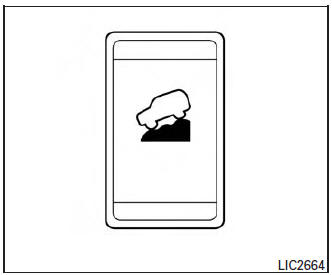
Hill descent control switch (if so equipped)
WARNING
|
| CAUTION When the hill descent control system operates continuously for a long time, the temperature of the brake pads may increase and the hill descent control system may be temporarily disabled (the indicator light will blink). If the indicator light does not come on continuously after blinking, stop using the system. |
The hill descent control system is designed to reduce driver workload when going down steep hills. The hill descent control system helps to control vehicle speed so the driver can concentrate on steering the vehicle.
To activate the hill descent control system:
- activate the AWD LOCK switch,
- the transmission shift lever must be in forward or reverse gear,
- the hill descent control system switch must be ON.
The vehicle speed must be kept below 15 MPH (25 km/h).
The hill descent control indicator light will come on when the system is activated. Also, the stop/tail lights illuminate while the hill descent control system applies the brakes to control vehicle speed.
If the accelerator or brake pedal is depressed while the hill descent control system is on, the system will stop operating temporarily. As soon as the accelerator or brake pedal is released, the hill descent control system begins to function again if the hill descent control operating conditions are fulfilled.
The hill descent control indicator light blinks if the switch is on and all conditions for system activation are not met or if the system becomes disengaged for any reason.
To turn off the hill descent control system, push the switch to the OFF position.
For additional information, refer to “Hill descent control system on indicator light� in this section and “Hill descent control system� in the “Starting and driving� section of this manual.
 SPORT mode switch
SPORT mode switch
Adjusts the engine and transmission points to
enhance performance. Press the SPORT button
on the instrument panel to activate. “SPORT�
appears in the speedometer for two ...
 Warning systems switch (if so equipped)
Warning systems switch (if so equipped)
The warning systems switch is used to turn on
and off the warning systems (Lane Departure
Warning (LDW), Forward Collision Warning
(FCW) and Blind SpotW ...
Other materials:
Active trace control
This system senses driving based on the driver’s
steering and acceleration/braking patterns, and
controls brake pressure at individual wheels to
aid tracing at corners and help smooth vehicle
response.
The Active Trace Control can be set to ON (enabled)
or OFF (disabled) through the Vehicl ...
Interior room lamp control circuit
Description
Controls each interior room lamp (ground side) by PWM signal.
NOTE:
PWM signal control period is approximately 250 Hz (in the gradual
brightening/dimming).
Component Function Check
CAUTION:
Before performing the diagnosis, check that the following is normal.
Interior ro ...
Regulatory Information
FCC Regulatory information
CAUTION: To maintain compliance with
FCC’s RF exposure guidelines, use only the
supplied antenna. Unauthorized antenna,
modification, or attachments could damage
the transmitter and may violate FCC regulations.
Operation is subject to the follow ...
