
Nissan Rogue Service Manual: Preparation
Special Service Tool
The actual shape of the tools may differ from those illustrated here.
|
Tool number (TechMate No.) Tool name |
Description |
|
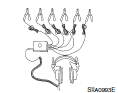
| — (J-39570) Chassis Ear |
|
Locating the noise |
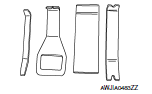
| — (J-46534) Trim Tool Set |
|
Removing trim components |
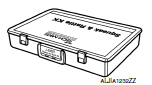
| — (J-50397) NISSAN Squeak and Rattle Kit |
|
Repairing the cause of noise |
Commercial Service Tools
|
(TechMate No.) Tool name |
Description |
|
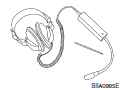
| (J-39565) Engine Ear |
|
Locating the noise |
 Precaution
Precaution for Supplemental Restraint System (SRS) "AIR BAG" and "SEAT
BELT
PRE-TENSIONER"
The Supplemental Restraint System such as “AIR BAG� and “SEAT BELT
PRE-TENSIO ...
 Wiring diagram
...
Other materials:
Unit disassembly and assembly
STEERING GEAR AND LINKAGE
Exploded View
DISASSEMBLY AND ASSEMBLY
Steering gear
Inner boot clamp
Boot
Outer boot clamp
Outer socket
Disassembly and Assembly
DISASSEMBLY
Remove outer socket lock nut and remove outer socket.
Remove inne ...
U0140 lost communication (BCM)
DTC Description
DTC DETECTION LOGIC
DTC
CONSULT screen terms
(Trouble diagnosis content)
DTC detection condition
U0140
LOST COMM (BCM)
(Lost Communication With Body Control Module)
When the ignition switch is ON, TCM is unable to receive the CAN
communications ...
Brake piping
FRONT
FRONT : Exploded View
Master cylinder secondary to
ABS actuator brake tube
Master cylinder primary to
ABS actuator brake tube
Brake tube bracket
Brake tube (LH)
Brake tube (RH)
ABS actuator and electric unit
(control unit)
ABS actuator to connector
brake tu ...
